
Code Pico-8 in Zed
Pico-8 is a great little game engine with batteries included, but you'll quickly outgrow the built-in editor if you want to write more than 200 lines. The 128x128 resolution, tiny screen, and awful pixel font don't help. Don't get me wrong, it's perfectly adequate if you want to prototype something quickly, or if you are running it on a low-powered device. But on a desktop with a big screen... oof.
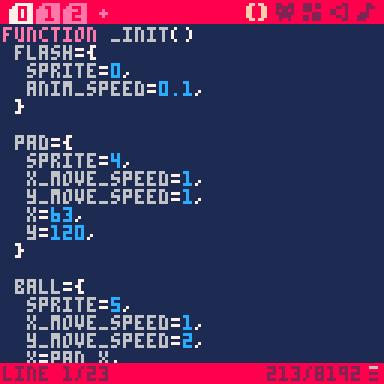
Thankfully you aren't forced to stick to Pico's editor. There are many guides on how to set it up with VS Code, just do a web search. But VS Code is so 2018 and there are much better tools out there (IMO), such as Zed.
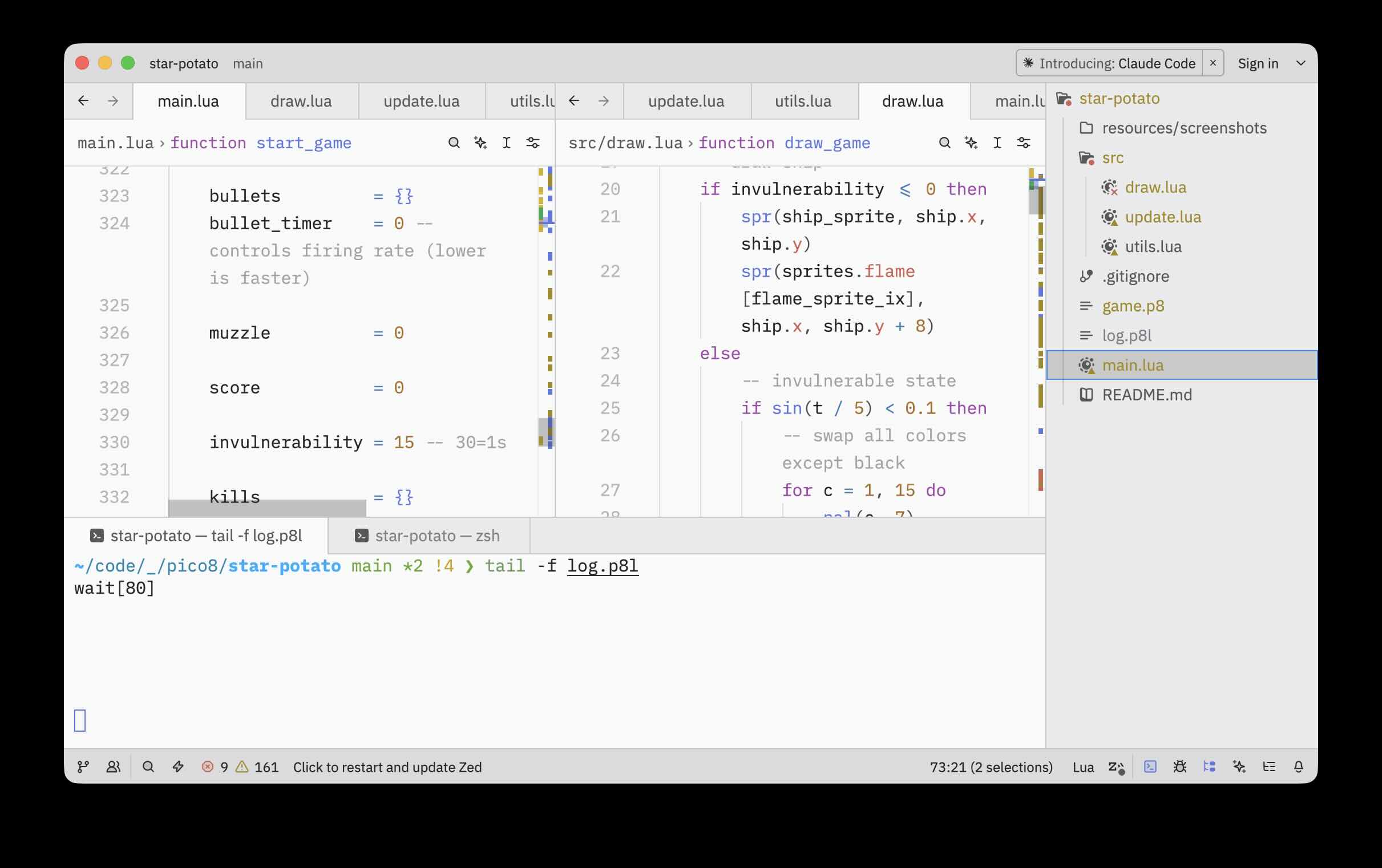
Compare the first screenshot with this (and yes, I prefer light themes, hold your pitchforks).
Zed settings
I'm going to assume you've already started a new Pico/Lua project with version control (git init) and you've opened the project in Zed. That's what I shall call the "Pico-8 project folder" from here on, that you'll be linking with Pico-8 in the next section.
There are a just a handful of Zed settings that I recommend to make it work well with Pico-8 and Lua.
- Settings > Base Keymap > JetBrains
- Settings > Appearance > Font Size > 14
- Settings > Panels > Project Panel Dock > Right
- Settings > Panels > Project Panel > Hide Hidden > turn off (to show hidden files like .gitignore)
- Settings > Language & Tools > Languages > Markdown > Hard Tabs > On
- Settings > Language & Tools > Languages > Markdown > Format on Save > On
- Settings > Language & Tools > Languages > Markdown > Remove Trailing Whitespace on Save > On
- Settings > Language & Tools > Languages > Lua > Hard Tabs > On
- Settings > Language & Tools > Languages > Lua > Preferred Line Length > 120
- Settings > Language & Tools > Diagnostics > Max Severity > Error (this is for Pico-8/LUA because it underlines too much stuff that I don't need)
Link a new cartridge to the project folder
- If you haven't already, go to your Pico-8 projects folder and run
mkdir mygameandcd mygame - This is roughly what mine looks like
cd /Users/youruser/code/pico8/mygame/
- Type
FOLDERin the Pico CLI to open the carts location - In your terminal of choice,
cdto that location - On Mac this is typically in
cd /Users/youruser/Library/Application Support/pico-8/carts
- Create a dynamic link in that folder, pointing to the Pico-8 project
ln -s /Users/youruser/code/pico8/mygame/ mygame
- Open a fresh instance of Pico-8, and hit CMD+S to save
untitled.p8in Pico-8's cartridge folder from the previous step - Move the cartridge file to
mygame/(the dynamically linked folder) and also rename it (I like to usegame.p8for all games as an easy-to-remember shortcut)
mv untitled.p8 mygame/game.p8
- Create a
mygame/main.luafile that will be the entrypoint for the rest of the code (contains_init,_update,_draw)
cd mygame
touch main.lua
- In Pico-8 CLI load the new cartridge
cd mygame
load game
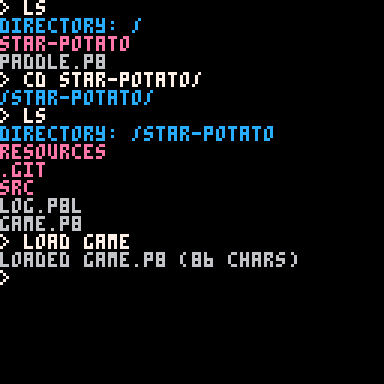
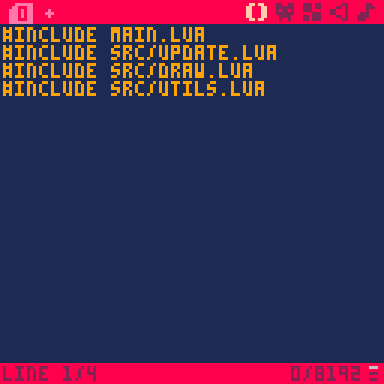
- In Pico-8 editor add this line at the top of
game.p8, then CMD+S to save (this time will save it in place asgame.p8)
#include main.lua
- Now we can open the
mygame.luafile in Zed - At this point you can separate the code into multiple LUA files & include them in the same way (I like to put my includes - except for main - in a
src/folder)
#include main.lua
#include src/update.lua
#include src/draw.lua
#include src/utils.lua
Cons and gotchas
There aren't any significant drawbacks using a 3rd party editor, but...
There is a bit of futzing around first time setting up a new project.
Importing/including scripts using this method neutralizes Pico's token counter. Your code size could get out of control, but Pico-8 will tell you if that's the case when you run the game. Obviously this is agnostic of Zed or any other 3rd party editor.
Not a failure of Zed, per-se, but Pico-8 being a superset of Lua, it has its own stdlib which the Lua language server embedded in Zed doesn't recognize, so it will squawk about "undefined global functions" and such. Hence the need to dial down the code error highlighting in the settings.
Another thing that's not Zed's behavior, but more of a Lua vs Pico-8 thing, is that the IDE squawks (underlines) short-form increments that are valid syntax in Pico-8 but apparently not in Lua. So
var += 1is frowned upon, whilevar = var + 1is ok. Since I haven't found a way to prevent Zed's language server from underlining the "bad" syntax, I chose to use the long form instead. Tomayto-tomahto.
And that's about it. Enjoy coding Pico-8 in Zed!
Addendum - Pico-8 Language Server
Turns out that someone went through the effort to create a Pico-8 language server and you cna find it here https://github.com/japhib/pico8-ls. Here's also the dev's announcement on the official BBS https://www.lexaloffle.com/bbs/?tid=48169. The good news is that it is simply to integrate in VS Code. The bad news is that it needs some effort to integrate it in Zed. I'll update this post if I decide to do that.